

Stop filling your agent's context window just because you can
Bigger context windows do not remove failure modes. They create new ones when we stop being intentional about what goes into an agent's context.
Stop filling your agent’s context window just because you can.
A few months ago, I worked on a browser agent which used Playwright MCP to navigate career pages. Upon integrating the MCP server, I noticed an interesting problem. The agent sometimes picked the wrong tools for navigation.
When I dug further, it started to make sense.
Playwright MCP offers 26 tools, most of which are not relevant to my workflow.
I needed my agent to fill forms, click links, etc. I did not need a browser_network_request or browser_file_upload tool. In fact, I only needed 8 tools, but my browser agent did not know that.
It took the presence of all 26 tools as a license to potentially use any of them.
The fix was simple. I filtered down the tools to the few I needed, and I got better performance immediately.
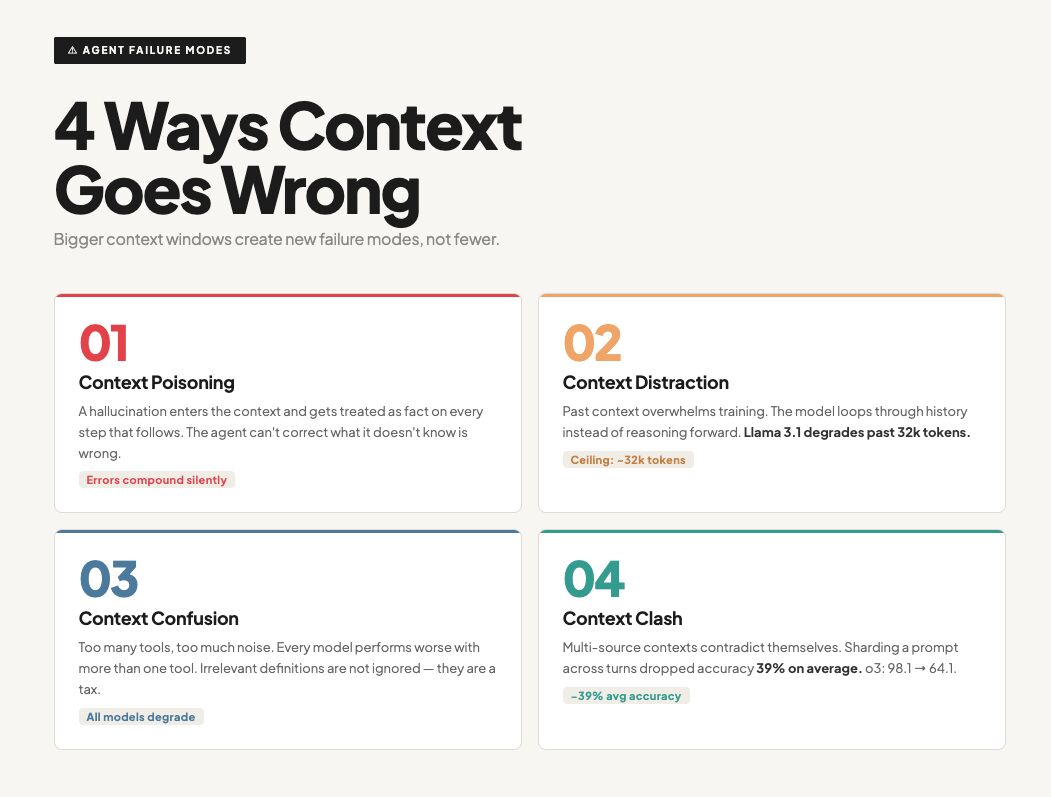
At the time, I did not have the words to describe this problem until I read an article by Drew Breunig. Drew argues that even though modern LLMs have large context windows, we should be intentional about what goes in. In my case, my agent had fallen prey to what he calls Context Confusion - when unnecessary context is used by the agent, degrading its decision-making over time.
Aside from Context Confusion, Drew identified three other failure modes:
-
Context Distraction: the agent over-relies on past behaviour, responses, and interactions rather than reasoning afresh based on what the user needs. I used Claude for brainstorming titles for my podcast episodes. After several conversations, it still anchored on those earlier examples even though I had explicitly told it to generate fresh ideas and titles. -
Context Clash: this happens when data from different sources returns conflicting results. The agent then makes wrong inferences based on this. A common example is a coding agent which pulls information from two sources: official docs and, say, an outdated blog post. The agent can potentially use the outdated post or even synthesise a new wrong idea of how the library should work based on both sources. -
Context Poisoning: this happens when an error, outdated data, or even hallucination from the LLM makes it into the context. The LLM goes through this info and potentially uses it in generating answers, thus perpetuating the error. Imagine running a multi-step agent where the model hallucinates, say, a product name or detail. That summary gets passed on as context to the next step. From that point, every further output is built on the wrong fact.
All these failure modes point to a simple idea: give the LLM what it needs to make the right decisions and nothing more. Context is not a dumping ground, and what goes in shapes what comes out of your agents.
Of course, this simple idea involves a lot more design and engineering upfront. There is even an entire field, Context Engineering, built on top of it, and I will be sharing more of my learnings, so stay tuned. :)
Now I am keen to know, which of these failure modes have you encountered and how did you fix them? Share in the comments!
Do you have any thoughts, corrections or questions? I'd love to hear from you.
Get the next note
New notes when I publish. No schedule, no filler.